
Save the text you don’t want to lose.
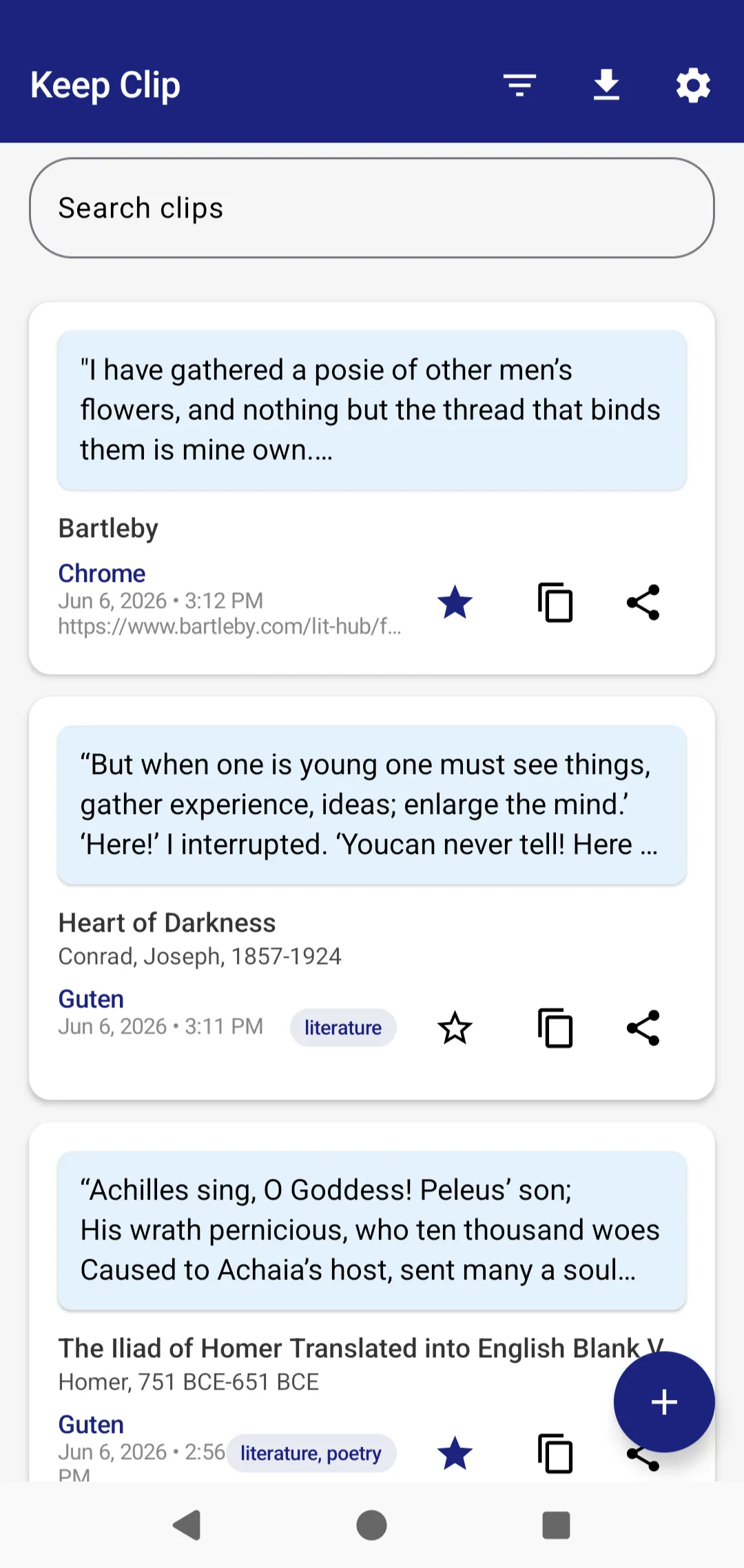
Keep Clip is a private Android app for saving notes, quotes, highlights, excerpts, and links from almost anywhere. Clip from websites, ebooks, documents, chats, and other apps. Add context, search later, and export your collection whenever you need it.
Useful text disappears everywhere.
You read something worth keeping. Then it vanishes into screenshots, browser tabs, messaging apps, bookmarks, note apps, or your memory.
Keep Clip gives you one quiet place to put it.
- A passage in an ebook.
- A quote in an article.
- A link you want to revisit.
- A useful answer in a chat.
- A paragraph from a document.
From anywhere to one place.
Clip from almost any app
Use Android’s Share menu to send selected text, links, quotes, and excerpts to Keep Clip. In apps like Kindle, copy the text first, then use the share pop-up.
Add context while it’s fresh
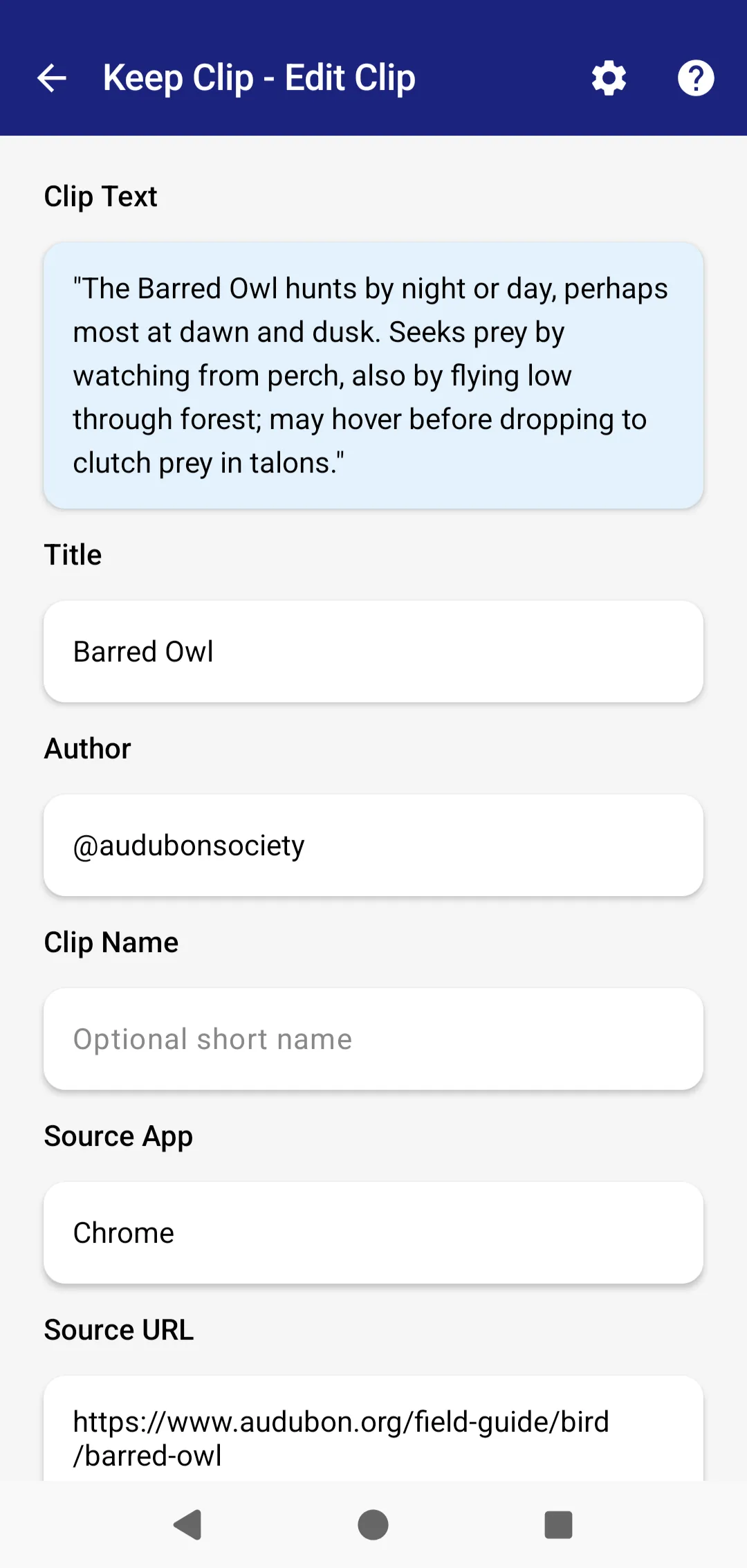
Save a title, author, source, source URL, tags, notes, and a custom clip name. Keep the quote and the reason you saved it together.
Find it later
Search saved clips by keyword. Filter by favorites, tags, or date. Built for quick retrieval, not endless fussing.
Export when you need it
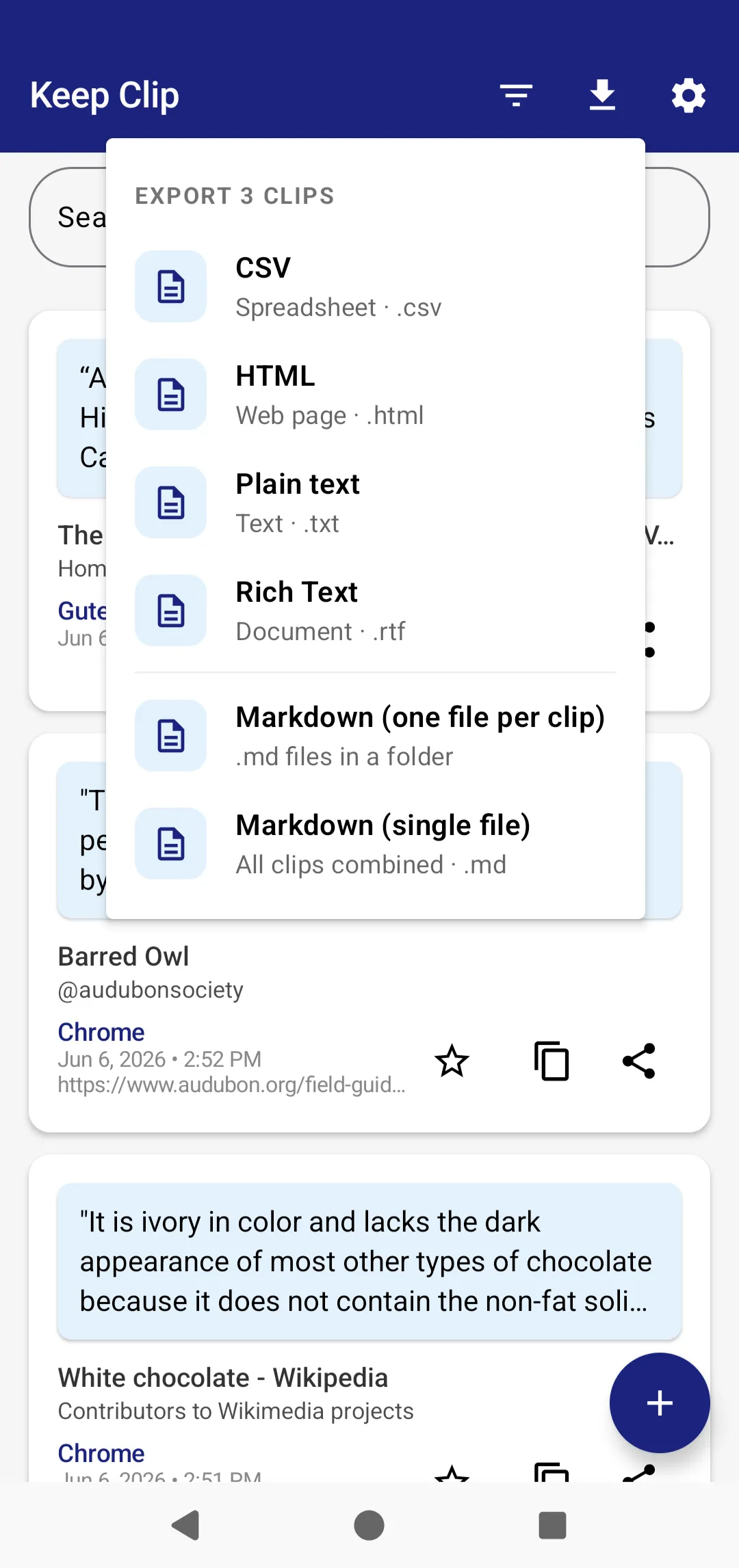
Move your notes into your larger system with Markdown, CSV, TXT, RTF, or HTML exports.
A focused tool for collecting text.
Six things Keep Clip does well, instead of fifty things half-done.
Capture
Save notes, quotes, highlights, article excerpts, links, and manual entries.
Organize
Use tags, favorites, clip names, source fields, notes, and context labels.
Search
Find saved clips and links instantly by keyword.
Export
Export to Markdown, CSV, TXT, RTF, or HTML for Obsidian, Notion, spreadsheets, archives, and personal knowledge systems.
Private by design
No account. No ads. No tracking. Your clips stay local on your device unless you export or share them.
Lightweight
For collecting useful material quickly, without turning note-taking into another project.
Built for readers, researchers, writers, and link hoarders.
Readers
Save quotes and passages from eBooks, articles, and blogs. Build a personal library of great ideas.
Researchers
Collect references, quotes, and links while you research. Keep notes organized and easy to export.
Writers
Capture inspiration, snippets, and links. A reliable notebook for ideas on the go.
PKM users
Feed your knowledge base with clean, structured content that’s easy to find and build on.
- Save quotes from books and articles.
- Collect research notes for essays, videos, sermons, papers, or projects.
- Keep links with notes attached.
- Build a private commonplace book.
- Capture useful passages from chats and documents.
- Export notes into Obsidian, Notion, Markdown folders, or spreadsheets.
A better inbox for your knowledge system.
Keep Clip isn’t trying to replace your whole PKM setup. It gives you a simple Android capture layer.
Save useful text on your phone, tag it lightly, then export it into the system you actually use.
Your notes are not bait.
Keep Clip does not require an account, run ads, or track you. Clips are stored locally on your device, with optional Android Auto Backup depending on your device settings. The Play listing declares no data collected and no data shared with third parties.
- No accounts
- No data collection
- No ads
- No tracking
- Local storage
- Export-friendly
Why not just use bookmarks, screenshots, or a notes app?
Save pages. Keep Clip saves passages.
Bookmarks point at a page. Keep Clip saves the exact passage and your note about why it mattered.
Hard to search. Keep Clip is text.
Screenshots are unsearchable. Keep Clip saves real text you can search, tag, favorite, and export.
Want your workspace. Keep Clip is focused.
Big notes apps want to become your whole workspace. Keep Clip is a focused capture tool for your phone.
Trade control for convenience. Keep Clip is local-first.
Cloud tools often trade convenience for control. Keep Clip is local-first and export-friendly.
Keep the good bits.
Save useful text and links from your Android phone. Search them later. Export them when you need them.
$1.99 · Android · Offline-first · No accounts · No ads · No tracking